
Color
Gridgram exposes color through a small, consistent vocabulary. Every element — nodes, connectors, regions, notes, badges — accepts the same grammar, so you rarely have to remember where each kind of value is allowed.
The grammar
primary          # bare theme keyword
accent           # theme keyword
accent/60        # theme keyword with 0–99% alpha
accent/8         # single-digit alpha → expanded to AA (88 hex)
#e8792f          # literal hex
#e8792f40        # literal hex with alpha
red              # CSS named color
rgb(200, 0, 0)   # any CSS color function
Theme keywords
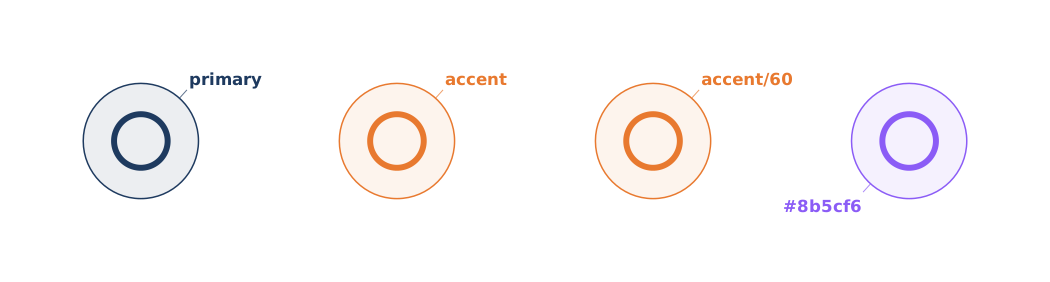
The keyword resolves against the active theme at render time:
| Keyword | Used as default for |
|---|---|
primary | node ring + monochrome icon |
secondary | connector line |
accent | highlight / emphasis |
text | note border + text |
muted | reserved; user-referenceable |
bg | canvas background |
Changing the theme changes every primary-colored element at once — no find-and-replace needed.
Alpha: the /NN suffix
Append /NN to a theme keyword to apply alpha:
accent/60   → theme.accent at 60% opacity
accent/8    → theme.accent at 88% opacity (single digit expands to AA)
primary/14  → theme.primary at 14% opacity
The two-digit form is a hex alpha (00–99), not a percentage. Numbers from 00 to ff are accepted; the /NN syntax constrains to two hex digits, and single-digit /8 expands to /88 the same way CSS shortens #888 to #888888.
Literal colors
Anything that CSS accepts works — names, hex, rgb(), rgba(), hsl(). Literal colors bypass the auto-tint rule for regions; see Region › Styling for the full details.
icon :a @A1 tabler/user "red"     color=red
icon :b @B1 tabler/user "#8b5cf6" color=#8b5cf6
icon :c @C1 tabler/user "rgba"    color=rgba(139,92,246,0.6)
Auto-tint for nodes
When you set a single color on a node, Gridgram draws the ring in that color and fills the interior with ~8% of the same color — automatic. You never have to pick two colors to get the "outline + pale fill" look.
The tint happens whenever color is set (theme keyword or literal). Alpha you specify explicitly is respected as written.
Where to next
- Theme — defining a custom theme, canvas background, transparency