
Badge
A badge is a small marker placed on one of a node's corners. Badges add status (a green check, a red alert) or domain meaning (a lock on a private resource) without changing the node's primary icon.
Presets
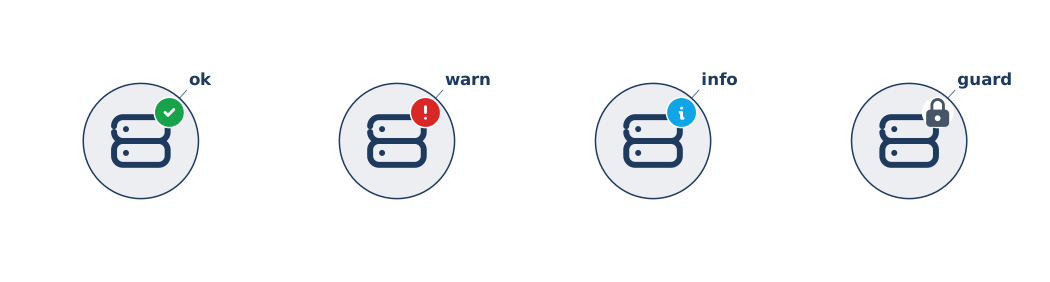
Gridgram ships with eight semantic presets. Each one is a colored Tabler icon on a white disc (the disc is mandatory — Tabler filled icons paint their glyph by omitting fill, so without a backing the cutout would show whatever is behind the icon):
| Preset | Tabler glyph | Default color |
|---|---|---|
check | circle-check | green (#16a34a) |
star | star | amber (#f59e0b) |
alert | alert-circle | red (#dc2626) |
info | info-circle | blue (#0ea5e9) |
help | help-circle | blue (#0ea5e9) |
lock | lock | slate (#475569) |
flag | flag | red (#dc2626) |
heart | heart | rose (#e11d48) |
How to attach a badge
Badges are attached via the trailing { … } JSON5 body on an icon statement. That's what the example above uses:
icon :ok   @A1 tabler/server "ok"   { badges: ['check'] }
icon :warn @B1 tabler/server "warn" { badges: ['alert'] }
For more elaborate badges, put the whole node into a doc { nodes: … } body:
doc {
  nodes: [
    {
      id: 'ok', pos: [1, 1], src: 'tabler/server', label: 'ok',
      badges: [{ preset: 'check', position: 'bottom-left' }],
    },
  ],
}
In TypeScript it's a field on NodeDef:
{ id: 'ok', pos: [1, 1], src: t('server'), label: 'ok', badges: ['check'] }All three notations produce the same diagram — pick whichever reads better. The inline body is usually cleanest for one or two badges; the doc { … } form wins when an element has many attributes.
Position and size
The default corner is top-right. Override it with an object form:
badges: [
  { preset: 'check', position: 'bottom-right' },
  { preset: 'alert', position: 'top-left', size: 0.35 },
]
Valid positions: top-right, top-left, bottom-right, bottom-left. size is the badge diameter as a fraction of the node diameter (default 0.3).
Stacking multiple badges
Multiple badges at the same corner render in declaration order — the earlier ones are drawn first and sit underneath. Different corners are independent:
badges: ['check', 'lock']                             // both at top-right, check on top
badges: [{ preset: 'check', position: 'top-right' },
         { preset: 'lock',  position: 'bottom-left' }]
Fully custom badges
For badges that aren't in the preset list, pass a full NodeBadge object:
badges: [
  {
    icon: yourSvgVNode,           // Preact VNode or raw SVG string
    position: 'top-right',
    size: 0.3,
    color: '#8b5cf6',
    iconTheme: 'theme',           // 'theme' | 'native' (default: 'native')
  },
]
iconTheme: 'theme' applies color via currentColor — use it for monochrome icons. 'native' leaves the icon's own fill/stroke attributes intact (use it for multicolor glyphs).