
Styles
The connector's look — line thickness, color, dash pattern — is controlled by trailing attr=value pairs or fields on ConnectorDef (inside { … } body or doc { connectors: … }).
Attributes at a glance
| Attribute | Type | Default | Meaning |
|---|---|---|---|
width | number | 2 | Stroke width in px |
color | color | theme secondary | Overrides the line (and label) color |
dash | string | solid | SVG stroke-dasharray (e.g. "6 3", "1 3") |
nodeMargin | 0–1 | 0.6 | Pullback of the arrow tip from the node center |
labelScale | number | 1 | Font-size multiplier for the label |
id | string | — | Optional id for Note targets |
Dash patterns
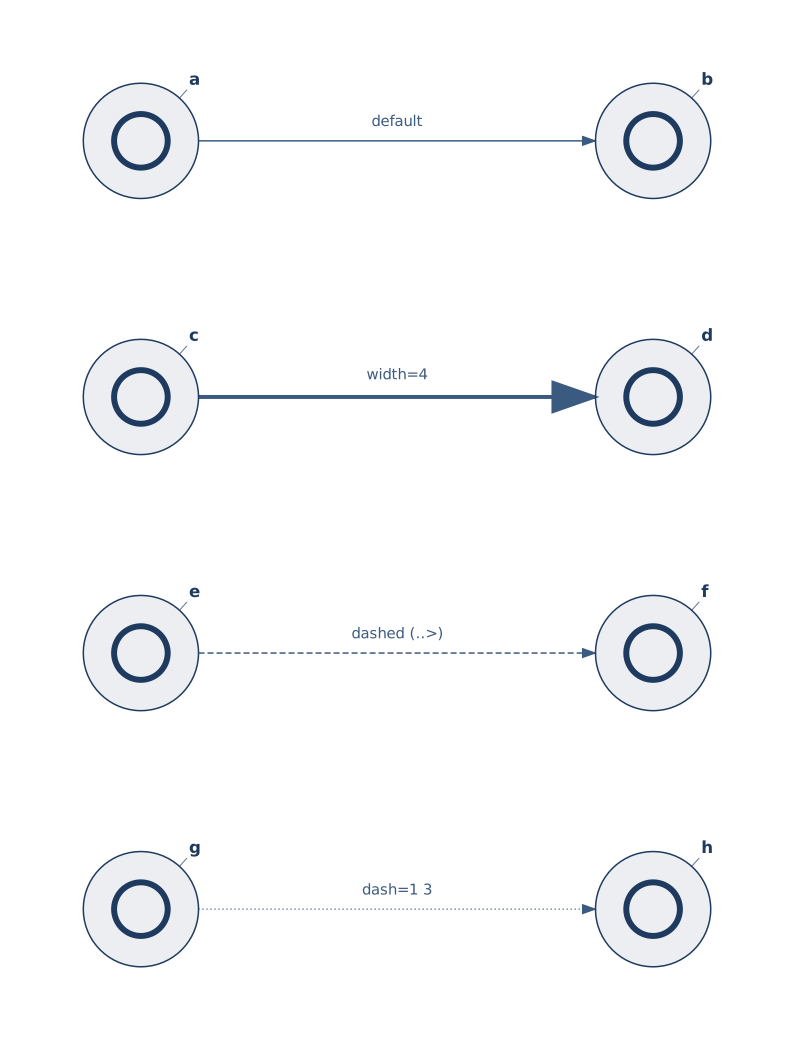
Two ways to get a dashed line:
- Use a dashed arrow operator (
..>,<..,<..>,...). These apply the default dash"6 3". - Set
dash=explicitly. The value is a standard SVGstroke-dasharray— pairs of "on off" lengths."1 3"is a dotted line;"8 2 2 2"gives a dash-dot pattern.
When both forms are used on the same connector, the explicit dash wins.
Colors
Connectors default to theme.secondary. Override per-connector:
gg
a --> b "hot path" color=accent
c --> d "private"  color=#8b5cf6
Theme keywords (primary / secondary / accent / …) and alpha suffixes (accent/60) work here the same way they do on nodes — see Color.
Stroke width & node margin
width changes only the line and arrowhead. nodeMargin nudges the tip back from the node center — raise it when the default arrow overlaps the icon:
gg
user --> api "req" width=3
api  --> db  "write" nodeMargin=0.85