
Icon Node
Every node in Gridgram is declared with the icon command — a small monochrome glyph that tells the reader at a glance what kind of thing this node is (a server, a user, a message bus, …).
The name of the command is icon, but the node doesn't have to carry a glyph: you can put short text inside the circle instead (text=), or leave the circle empty as a structural placeholder.
The three flavors
icon :front @A1 tabler/user           "Front"    # 1. built-in Tabler outline
icon :star  @B1 tabler/filled/star    "Star"     # 2. built-in Tabler filled
icon :my @C1 @assets/my-widget.svg "Custom" # 3. external file / alias / URL| Flavor | Asset reference | Notes |
|---|---|---|
| Tabler outline | tabler/<name> | 5,500+ icons; the default |
| Tabler filled | tabler/filled/<name> | Filled variants where they exist |
| External file / URL | ./x.svg, @alias/x.svg, https://… | Resolved by the loader |
| Registered bare name | <name> (no prefix) | Needs doc { icons: … } or a config alias |
"Bare name" here means a single identifier like logo with no namespace prefix — Gridgram treats those strictly and doesn't try to autoresolve them, so they can't collide with Tabler icon names.
Bare word = src shorthand
The unprefixed word following :id and @pos is the asset reference. The following three lines produce identical diagrams:
icon :server @A1 tabler/server "Server"                       # bare form (preferred)
icon :server @A1 src=tabler/server "Server"                   # explicit attr
icon :server @A1 "Server" { src: "tabler/server" }            # body form
Use whichever reads best. The bare form is easiest to scan; src= and the body form are useful when you're generating .gg programmatically or need to combine src with many other attributes.
A minimal example
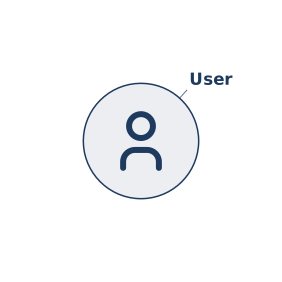
The icon renders inside the node's circular clip. Its color is inherited from the node color via currentColor: Tabler's monochrome icons adopt whatever color you set on the node, so you never have to color-match the icon to the ring.
When an icon can't be resolved
If you pass a src= value that doesn't map to anything the resolver can find, the node is flagged iconError: true and rendered with a red ring and no glyph. You see the problem immediately in the output, and the diagram still renders — no broken build, no missing image placeholder.
icon :front @A1 tabler/userr "typo" # Tabler has no "userr" → red ringThe error trigger is "asset name supplied but didn't resolve". An icon declaration with no asset reference at all is fine — the node just renders as a colored ring (useful as a placeholder while you're sketching, or with text= below).
Text instead of an icon
Sometimes the right thing to put inside a node is a short label — a step number ("1", "2"), a status code ("OK"), a single CJK character — rather than a pictogram. Use the text= attribute and omit the asset reference:
icon :step1 @A1 text="1" "Submit"
icon :step2 @B1 text="2" "Review"
icon :step3 @C1 text="OK\nGO" "Approve"
Sizing rules — Gridgram picks the largest font-size that satisfies both:
- Height ≤ the icon area's height (same as a glyph would have).
- The text's bounding box (W × H) is inscribed in the node circle (so a wider one-line label can spill past the icon-area's left/right edges, taking advantage of the rounded corners).
For multi-line strings, separate lines with \n inside the quoted value. The font-size shrinks to keep all lines stacked within the height budget.
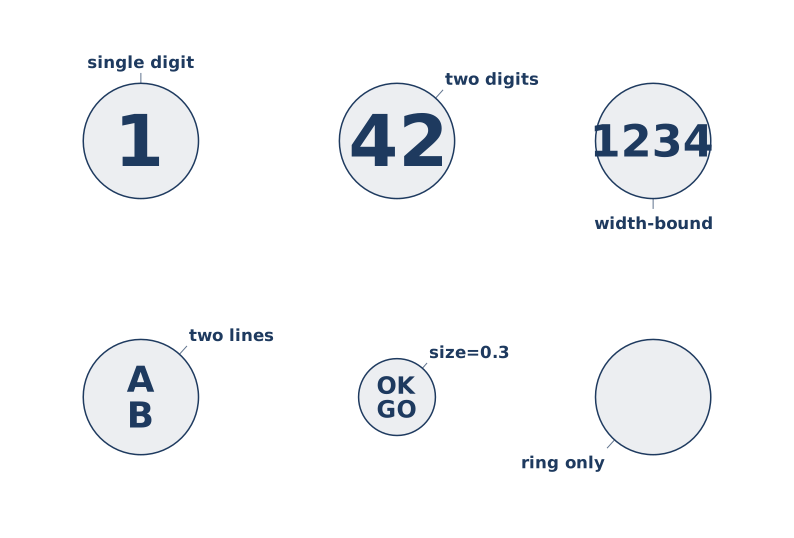
The bottom-right cell shows the empty case — neither src= nor text=. That's an intentional placeholder, not an error.
When both src= and text= are given on the same node, text= wins (the icon is suppressed). The convention is to use one or the other.
Pinning the label direction
By default the label-placer auto-searches eight slots around the node and picks the first one that doesn't collide with neighbours, connectors, or the canvas edge. When you want a specific direction regardless, set it via the CSS-style style= attribute:
icon :hub @B2 tabler/server "Hub" style="label-direction: bottom-right"In the TypeScript API, set labelDirection directly:
{ id: 'hub', pos: 'B2', src: t('server'), label: 'Hub', labelDirection: 'bottom-right' }Accepted slot names (kebab-case, the same eight the placer searches):
top-right     top-center     top-left
right-center                 left-center
bottom-right  bottom-center  bottom-left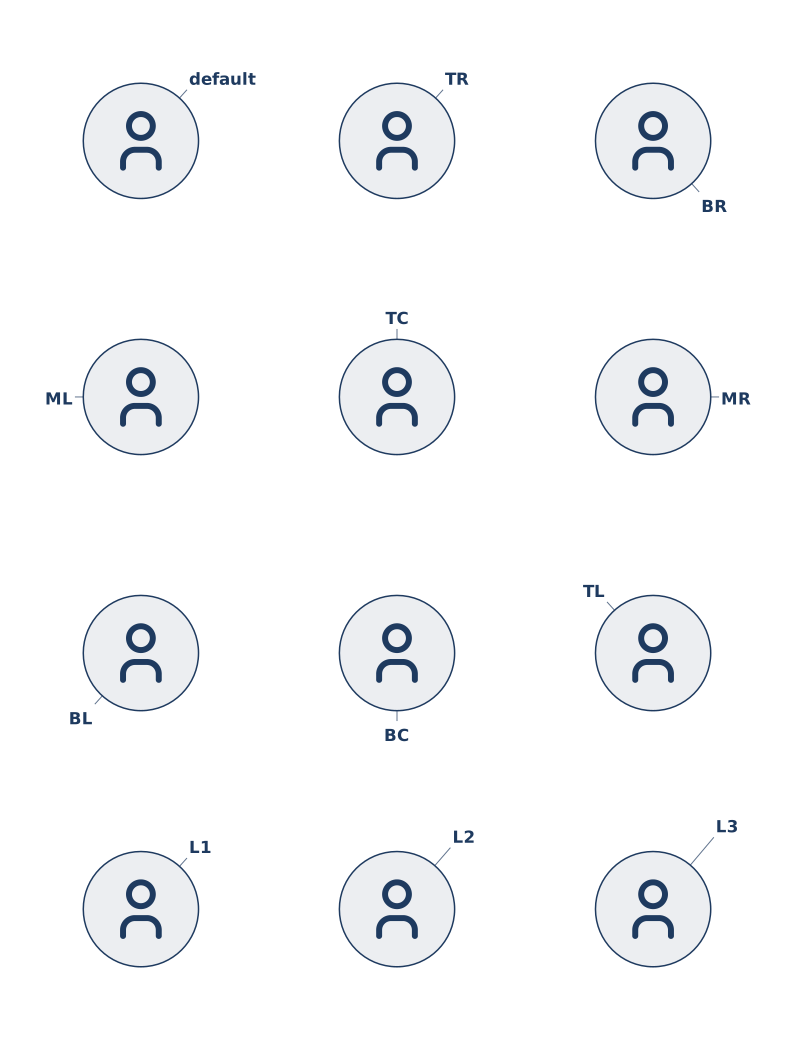
Leader-line length
By default the placer also walks three leader-length tiers (1 = tight, 2 = medium, 3 = long) per direction, extending the leader line until the label clears nearby obstacles. Pin a tier explicitly with leader-length:
icon :a @A1 tabler/server "Hub" style="leader-length: 3"             # 8 directions × tier 3
icon :b @B1 tabler/server "Hub" style="label-direction: top-right; leader-length: 2"  # exactly one slot
The two axes are independent:
| Pinned | Candidate combinations |
|---|---|
| neither (default) | 3 tiers × 8 directions = 24 |
label-direction only | 3 tiers × 1 direction = 3 |
leader-length only | 1 tier × 8 directions = 8 |
| both | 1 |
If every candidate in the filtered set collides, the result still renders at the smallest-collision candidate but carries error: true and a label-collision diagnostic — so an agent can see what got run over.
The style= attribute is meant to grow with declarations like CSS: each value is a list of property: value pairs separated by ;. Today only label-direction and leader-length are recognised; the syntax leaves room for more visual properties later.
iconTheme: theme vs native
Monochrome Tabler icons use currentColor so they pick up the node color. If you reference a multicolor asset (a branded logo, a flag), the automatic currentColor cascade would flatten it to one color. Set iconTheme=native on the node to preserve the file's own fills:
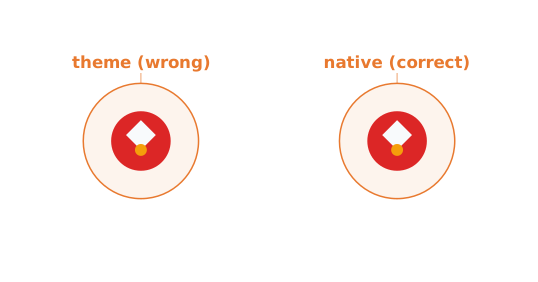
The left icon has color=accent (orange) applied the default way — currentColor wins over the asset's fills, so the multicolor glyph collapses into a single orange blob. The right one adds iconTheme=native, which skips the currentColor cascade so the SVG's own colors render as authored. Typical use: brand logos, flags, photos-as-glyphs (use a raster asset + clip=circle for avatar-style).
icon @A1 @brand/aws.svg      "AWS"
icon @B1 @brand/aws.svg      "AWS" iconTheme=native
The node ring still uses color in both cases — iconTheme only governs the icon's inside.
Argument order is free
Between the icon keyword and an optional { … } body, the arguments can come in any order — each one is identified by its prefix (: id, @ pos, src= / color= / … attr, "…" label). The following four lines are all equivalent:
icon :a @A1 tabler/user "A"
icon "A" @A1 tabler/user :a
icon tabler/user :a "A" @A1
icon :a tabler/user { label: "A", pos: [1, 1] }
Most authors stick with one consistent order for readability; the freedom helps when generating .gg from code.