
Custom icons
Tabler covers most generic glyphs, but sooner or later you'll want your own brand logos, app-specific symbols, or a shared team icon set. Gridgram gives you three layered ways to register custom icons.
1. doc { icons: … } (single file)
The fastest path: register icons inside the .gg file itself, in a doc { … } statement. The map key becomes the bare name you can pass to src= on any icon.
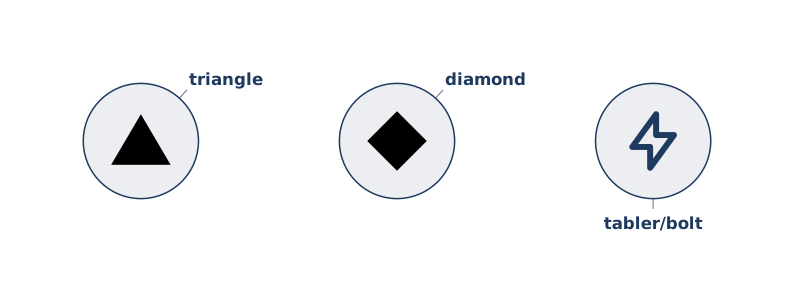
Each value can be:
- Raw SVG markup —
'<svg viewBox="…">…</svg>'. The outer<svg>wrapper is stripped; the inner content is inlined. - Data URL —
'data:image/svg+xml,…','data:image/png;base64,…'. Decoded and inlined. - HTTP(S) URL —
'https://…'. Fetched at build and inlined. - File path — absolute, or relative to the
.ggfile's directory.
SVG, PNG, JPEG, GIF, WebP, and AVIF are all accepted. Raster images are detected by extension (.png, .jpg, …) or by Content-Type for URLs without an extension; they get wrapped in an <image> element sized to the icon's square (short edge fits, long edge is cropped — SVG's preserveAspectRatio="xMidYMid slice").
doc {
  icons: {
    logo:   './assets/logo.svg',
    hero:   'https://cdn.example.com/hero.svg',
    widget: 'data:image/svg+xml,<svg …/>',
  },
}
Once registered, reference them by bare name in any src=:
icon :home @A1 logo "Home"
icon :app  @B1 hero "App"
2. --icons <dir> (CLI directory sweep)
When you have a folder full of SVGs, point the CLI at it with --icons. Every *.svg in that directory becomes a bare-name alias equal to its filename (minus the extension):
gg diagram.gg --icons ./icons/ -o out.svgicons/
bolt.svg → "bolt"
gateway.svg → "gateway"
queue.svg → "queue"Directory icons lose to the doc { icons: … } map if a name collides, so you can override individual icons in a single file without touching the shared folder.
3. Path-style references with aliases
When you want to pick icons file-by-file without populating a bare-name map, reference the path directly in src=:
icon :front @A1 ./icons/front.svg "Front"
icon :core @B1 @brand/core.svg "Core"./x.svg/../x.svg//abs/x.svg— resolved against the.ggfile's directory (or absolute).@alias/x.svg— resolved against an alias registered ingridgram.config.ts. Typical use: pin a shared icon pack to a versioned path.
Priority order
1. doc { icons: … } map           (per-file map)
2. Path refs + --icons dir        (file system)
3. Tabler built-ins               (tabler/… and tabler/filled/…)
4. Otherwise → iconError          (red ring)
The doc map wins so you can override a shared icon locally without disrupting other diagrams.
Raster images (PNG, JPEG, …) + clip
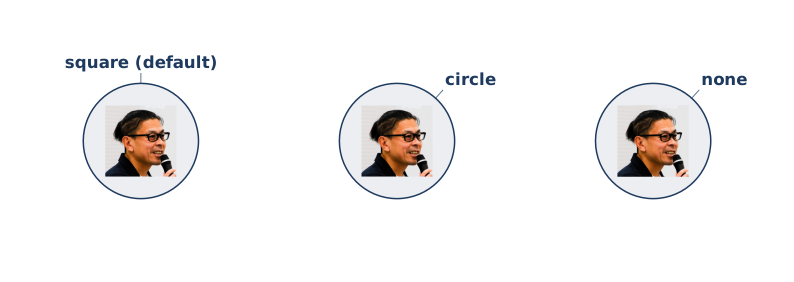
Raster assets are auto-fitted to the icon's 24×24 viewport — short edge meets the square, long edge is cropped. Combined with the clip attribute you can produce avatar-style round portraits:
doc {
  icons: {
    me: 'https://www.gravatar.com/avatar/<hash>?s=200',
  },
}

icon @A1 me "square (default)"
icon @B1 me "circle"  clip=circle
icon @C1 me "none"    clip=none
clip accepts:
| Value | Behaviour |
|---|---|
square | Default. Crop to the icon's bounding square. |
circle | Crop to a circle inscribed in the square — avatar-style. |
none | No clipping; the icon may spill past its bounds. Rarely useful for vector icons; handy for decorative raster overlays. |
Works identically for SVG and raster — the same clip=circle will round a Tabler glyph too, though it rarely changes the look because Tabler icons already sit comfortably inside their 24×24 box.
Matching icons across .gg and .ts
In the TypeScript API, there is no icons: map — you pass the actual SVG as a Preact VNode (or a raw SVG string) on node.src directly:
import { h } from 'preact'

const def: DiagramDef = {
  nodes: [
    { id: 'home', src: h('svg', { viewBox: '0 0 24 24' }, …), label: 'Home' },
  ],
}
If you want one diagram to be expressible in both .gg and .ts (useful for doc examples), keep the SVG markup identical on both sides — the build compares the final SVG byte-for-byte.