
Styling
Regions are meant to be quiet — they group cells without stealing attention from the nodes. Gridgram leans hard on this with an auto- tint rule for theme keywords, so a single color=accent produces a perfectly readable pale background without you having to pick an alpha value.
Auto-tint: the default behavior
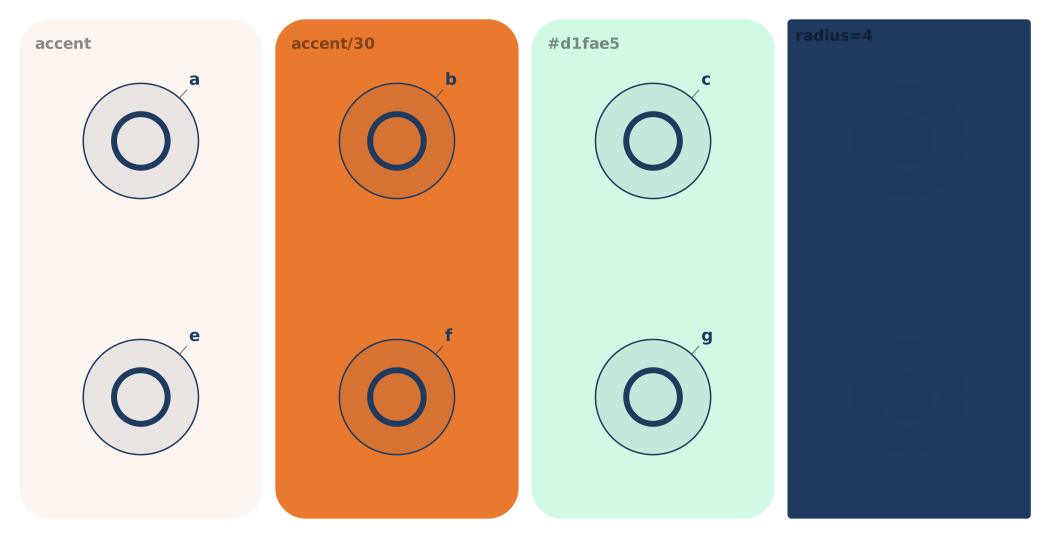
When color is a bare theme keyword (primary, accent, etc.), the region renders at roughly 7% opacity of the theme color. That gives you a readable tint without picking an alpha yourself:
region @A1:D1 "Public" color=accent # → accent @ ~7%Override: explicit alpha or literal
To go denser or lighter, specify alpha on the theme keyword, or drop to a literal color:
region @B1:B2 "accent/30"  color=accent/30   # explicit 30% alpha
region @C1:C2 "#d1fae5"    color=#d1fae5     # literal — no auto-tint
region @D1:D2 "red"        color=red         # CSS name — no auto-tint
The auto-tint only kicks in for bare theme keywords. Once you specify alpha or use a literal, Gridgram respects exactly what you wrote.
Corner radius
Regions default to a softly rounded outline. Override with radius:
region @A1:D1 "Top row"  color=primary/12 radius=4      # sharper corners
region @A2:D2 "App"      color=primary/12 radius=20     # softer
For multi-span shapes (L, T, blobs), the radius applies uniformly at every convex and concave corner of the union outline.
Label scale
Region labels default to a bit smaller than node labels. labelScale multiplies that baseline:
region @A1:D1 "BIG" color=accent labelScale=1.5
region @A2:D2 "sm"  color=primary labelScale=0.8
Attribute cheatsheet
| Attribute | Type | Default | Effect |
|---|---|---|---|
color | color | — | Theme keyword, keyword/AA, CSS name, or hex |
radius | number | auto | Corner radius in px (of the union outline) |
labelScale | number | 1 | Label font-size multiplier |