
Connector
A connector is an arrow (or plain line) drawn between two nodes. It's how you show a relationship — a request, a data flow, a dependency.
The arrow table
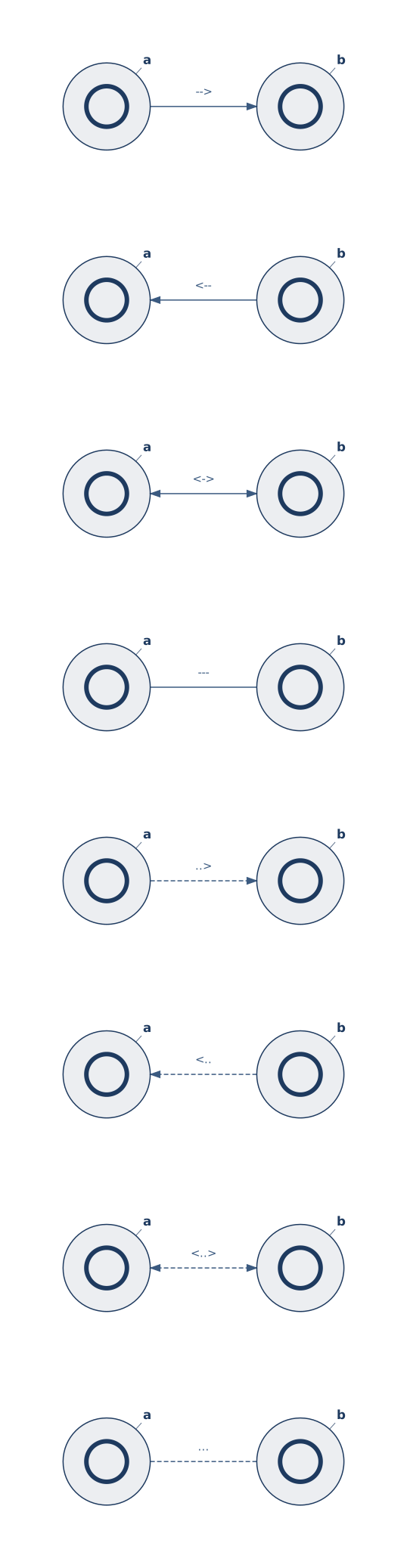
Gridgram picks arrow semantics from the operator you write between the two node ids. Solid and dashed variants share the same direction semantics — --> / ..> both point at the target:
| Operator | Direction | Line style |
|---|---|---|
--> | Source → Target | solid |
-> | alias of --> | solid |
<-- | Target → Source | solid |
<-> | both ends | solid |
--- | no arrow heads | solid |
..> | Source → Target | dashed |
<.. | Target → Source | dashed |
<..> | both ends | dashed |
... | no arrow heads | dashed |
Syntax
<from> <arrow> <to> ["<label>"] [attr=value ...] [{ body }]<from>/<to>are node ids declared elsewhere in the file"<label>"attaches a midpoint label (positional, no:separator)- Trailing
attr=valuepairs override style/color/width { … }body is for richer attributes (waypoints, nested config)
A connector referencing an undeclared node is a reference error — the parser fails with the offending line so typos don't silently disappear.
The connector statement is the only line that doesn't start with a command keyword. Gridgram detects connectors by the <id> <arrow> <id> shape — so the first word can be any node id, even one that collides with a keyword like icon or region.
Quick examples
gg
user --> api "request"                          # basic
api  <-> cache "sync" width=2                   # thicker, bidirectional
api  ..> audit "log"                            # dashed, advisory
api  --- db                                     # co-located, no arrow
api  --> db "cold-read" {
  waypoints: [{ col: 3, row: 1 }, { col: 4, row: 1 }],
}
What's next
- Labels — multi-line, font size, color
- Waypoints — routing the line through specific cells
- Styles — dash patterns, stroke width, color overrides
- Overlapping pairs — two parallel connectors auto-split into mirrored bows