
Theme
A theme is the palette Gridgram draws against — the set of color slots that theme keywords (primary, accent, …) resolve to. Overriding the theme is how you reskin a whole diagram in one place.
The default theme
| Slot | Hex |
|---|---|
primary | #1e3a5f |
secondary | #3b5a80 |
accent | #e8792f |
text | #2d3748 |
bg | #ffffff |
bg is the canvas background (the rectangle drawn behind everything). All the others are referenced by keyword on elements.
Overriding slots
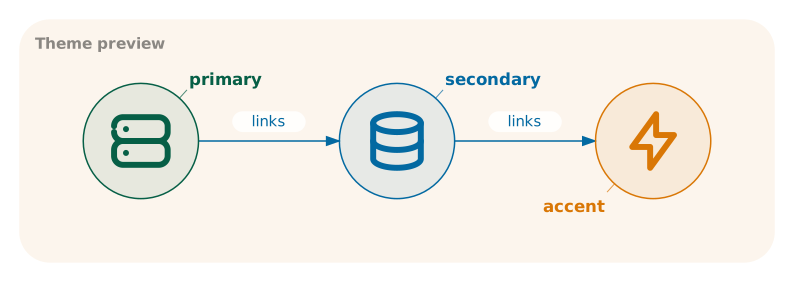
Set the theme in a doc { … } statement (or on DiagramDef.theme in TS):
doc {
  theme: {
    primary:   '#065f46',
    secondary: '#0369a1',
    accent:    '#d97706',
    text:      '#1f2937',
    bg:        'transparent',
  },
}
You only need to override the slots you want to change. Unset slots fall back to the default values above via deep-merge.
Transparent canvas
Set bg to 'transparent', 'none', or an empty string '' to skip the background rect entirely. The SVG renders on a transparent canvas — useful when the diagram is inlined into a colored surface (a slide, a card, a dark README).
doc { theme: { bg: 'transparent' } }When the canvas is transparent, connector-label pills fall back to white (instead of the usual theme.bg) so labels remain readable on any backdrop.
Multiple doc blocks: deep merge
If you declare the theme across multiple doc blocks, later values win via deep merge. That lets you split shared and local overrides:
doc { theme: { primary: '#065f46' } }

# … DSL …

doc { theme: { accent: '#d97706' } }
Both values survive — primary and accent are overridden, the rest stay at defaults.
muted
muted is a reserved slot with no Gridgram-internal use. Set it in the theme, then reference color=muted on elements you want "secondary" in a consistent way — the single central value keeps all those elements in sync.
doc { theme: { muted: '#94a3b8' } }

icon :caption @A3 tabler/info-circle "v0.9" color=muted